
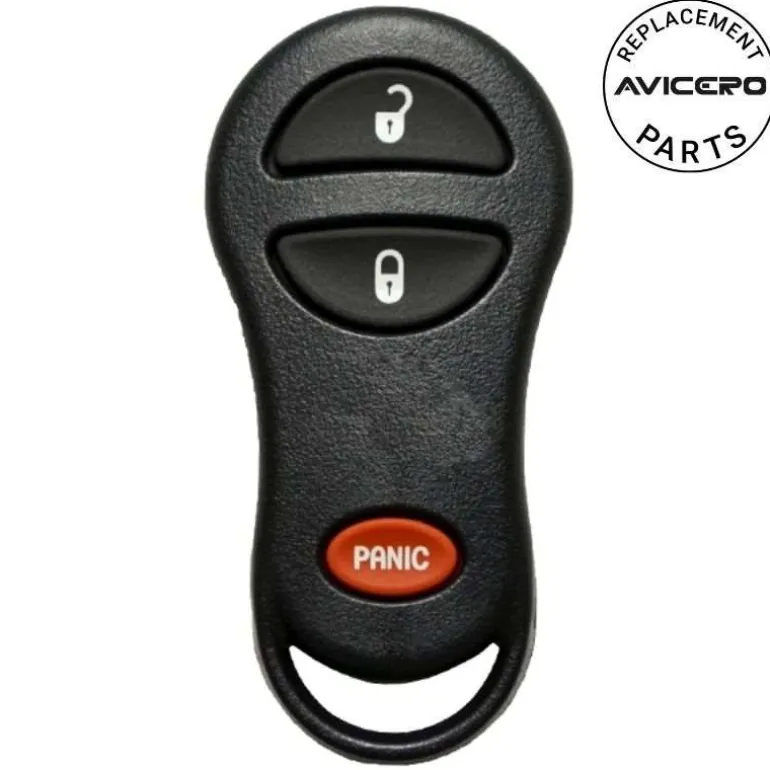
2000 Plymouth Voyager Remote FCC ID: GQ43VT13T, GQ43VT17T
20,89 $
Before Purchasing
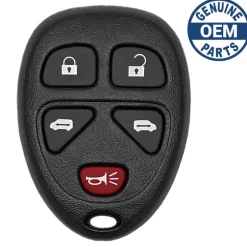
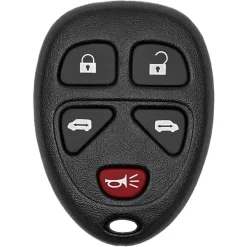
Important:Please make sure that your smart key fob looks identical and matches any of the part numbers or FCC IDs listed below. Contact Us with your VIN if you don’t have an existing remote for comparison.
Specifications
Part Numbers: 04686481AF, 04686481AA, 04686481AB, 04686481AC, and 56049249AA
FCC ID: GQ43VT13T and GQ43VT17T
Buttons:
Frequency:
Remote Programming:
Battery: (included)
Programming Procedure #413
Vehicles with the keyless entry option will be shipped from the assembly plants with two key fob transmitters programmed only for that vehicle. A total of four fobs can be programmed for your vehicle. Additional fobs can be programmed to your vehicle through the use of a currently programmed fob.
NOTE: When entering program mode using that fob, ALL currently programmed fobs will be erased and you will have to reprogram them for your vehicle. However, if program mode is entered and no action is performed, the previously programmed fobs will continue to function.
NOTE: When entering program mode using that fob, ALL currently programmed fobs will be erased and you will have to reprogram them for your vehicle. However, if program mode is entered and no action is performed, the previously programmed fobs will continue to function.
- Enter your vehicle and close all doors.
- Fasten your seat belt (fastening the seat belt will cancel any chiming that may confuse you during this programming procedure).
- Place the key into the ignition.
- Turn the ignition to the ON position (Do not start the engine).
- Press and hold the UNLOCK button on a programmed (i.e. functional) key fob.
- Continue to hold the UNLOCK button, wait at least 4 seconds, but no longer than 10 seconds, then press and hold the PANIC button.
- When a single chime is heard, release both buttons. The chime indicates that the system is in program mode.
- Press and release both the LOCK and UNLOCK buttons, simultaneously on the fob to be programmed.9. A single chime will be heard. The chime indicates that the fob has been recognized.
- Within 4 seconds of hearing the chime, press and release any button on the fob being programmed.
- A single chime will be heard. The chime indicates that the fob has been programmed.
- Repeat steps 8 to 11 for a total of 4 fobs.
- Turn the ignition to the OFF position or wait 60 seconds to exit program mode.
- Your vehicle will remain in program mode for up to 60 seconds from when the original chime (i.e. Step #7) was heard. After 60 seconds, all programmed fobs will function normally.
| Color | Aftermarket New |
|---|
Be the first to review “2000 Plymouth Voyager Remote FCC ID: GQ43VT13T, GQ43VT17T”
Related products
Sale!
Original price was: 139,00 $.95,89 $Current price is: 95,89 $.
Sale!
Original price was: 104,00 $.72,89 $Current price is: 72,89 $.

48,99 $
Sale!
Original price was: 94,00 $.62,99 $Current price is: 62,99 $.
70,89 $
Sale!
Original price was: 69,00 $.46,89 $Current price is: 46,89 $.
8,99 $
Sale!
Original price was: 119,00 $.78,99 $Current price is: 78,99 $.
Sale!
Original price was: 79,00 $.57,99 $Current price is: 57,99 $.
Sale!
Original price was: 69,00 $.49,89 $Current price is: 49,89 $.
Sale!

Original price was: 69,00 $.48,89 $Current price is: 48,89 $.
Sale!
Original price was: 119,00 $.83,99 $Current price is: 83,99 $.
98,89 $
Sale!
Original price was: 119,00 $.80,99 $Current price is: 80,99 $.
3,99 $
Reviews
There are no reviews yet.